
Features Designed To Fit Any Workflow

Everything you need to send fast, effective notifications — automated messages, instant alerts to manage replies, in-app personalization and more
All in one lean, easy-to-use platform designed to keep your business business focused on what matters most.
Features Designed To Fit Any Workflow
Automated messages, instant reply alerts, in-app personalization, and more — everything you need to send fast, effective notifications.
All in one lean, easy-to-use platform built to help your business stay focused on what matters most.
Packed With Power. Free From Clutter
Big-name software is packed with stuff you’ll never use. NanoNotify isn’t. It’s everything you need to update your customers fast — and a few things you’ll be glad we thought of.
Customizable Notifications
Reusable Notification Types Get Your Updates Sent Fast
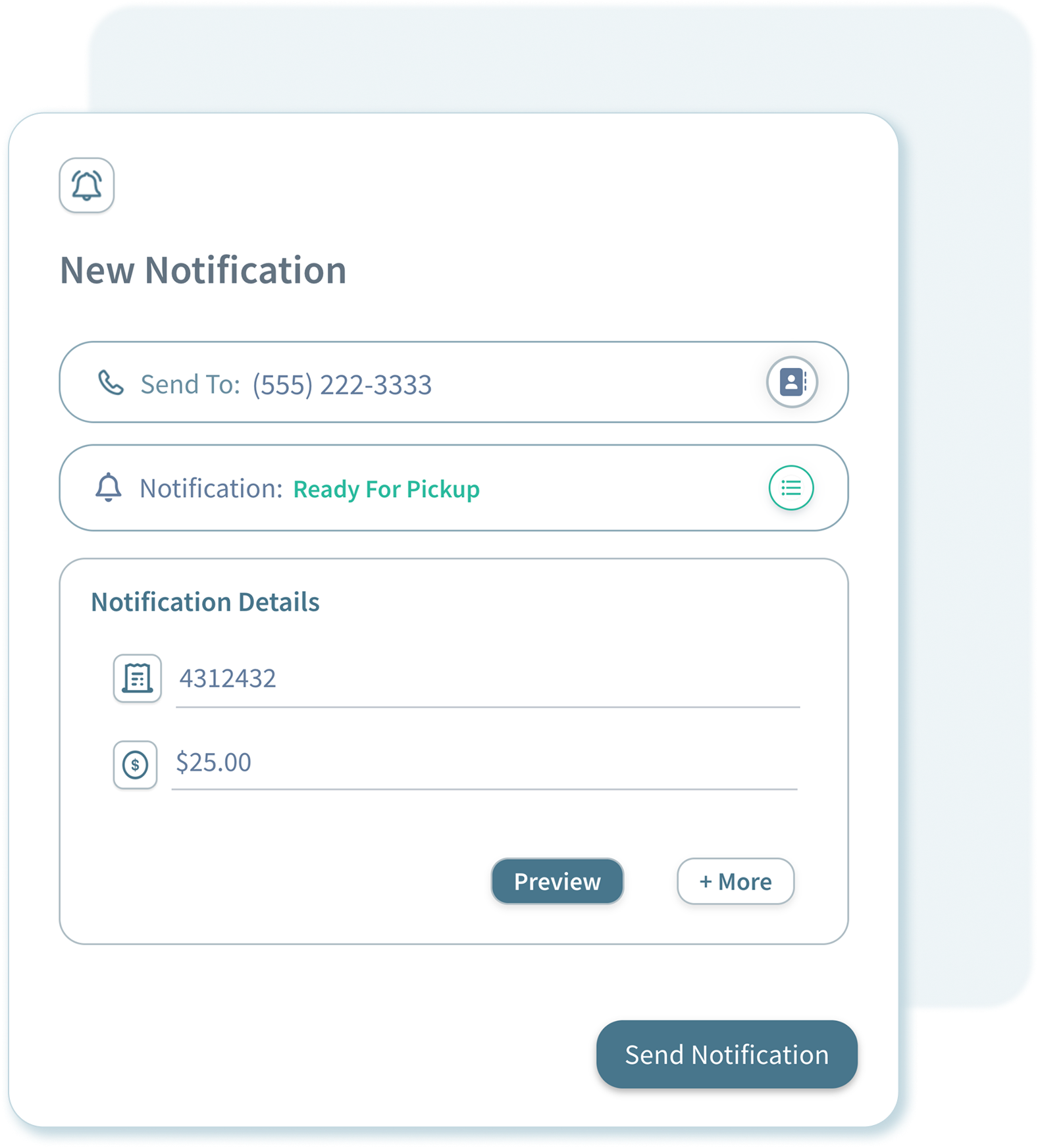
Create it once, customize as needed, and send in seconds with just a phone number and a couple key details.
Customize each notification type so it includes everything your customers need to know
Include multiple different items in each update, like a quote and a turnaround time
Automatically include a custom message to give context to each notification type

Automate customer responses with no additional setup

Send notifications instantly or schedule them to send in advance

Enable two-way notifications and send quotes, approvals and more
Scheduled Notifications
Set It and Forget It
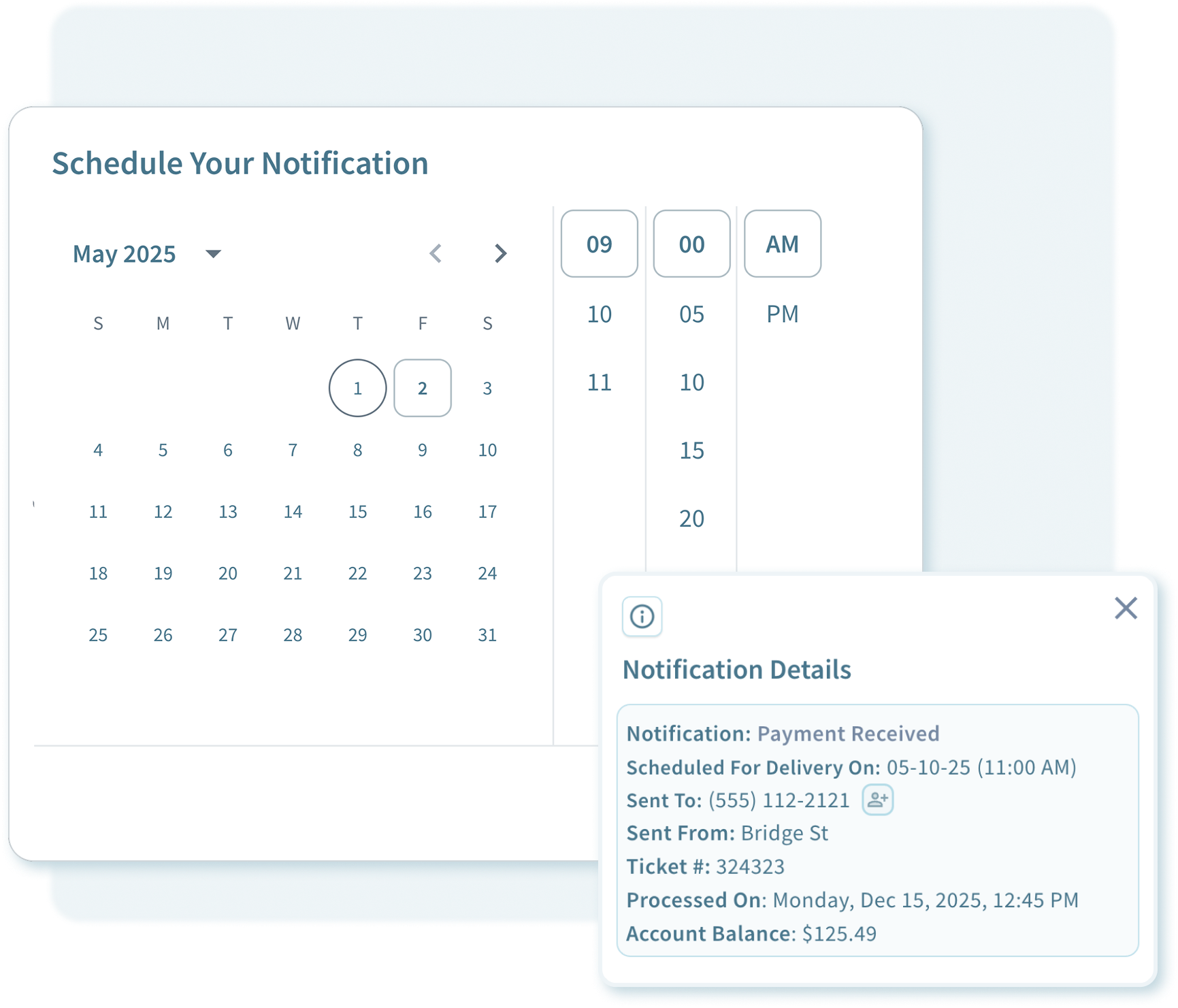
Schedule any notification to send exactly when it’s needed
Finish a project for a customer just before you close? Schedule your notification to automatically send the next day or whenever you need it to.
Easily view and manage your scheduled notifications from the dashboard. Change your mind? No problem You can edit or send them anytime with just a few clicks.
Working after hours? NanoNotify automatically delivers your notifications once you’re open — no need to time it yourself.
Customer Management. Simplified
Custom notifications are just the start. Easily manage your customers, see their full history, and send save customers updates in seconds with with our Quick Notify feature

Easily manage your customers. Keep track of every detail
Managing customers shouldn’t be complicated.
Create customers with just a phone number.
Easily view your customers full notification history, or select individual notifications to view every detail you sent.
Manage your customers across multiple locations with no extra effort. We automatically keep track each location in your customer history
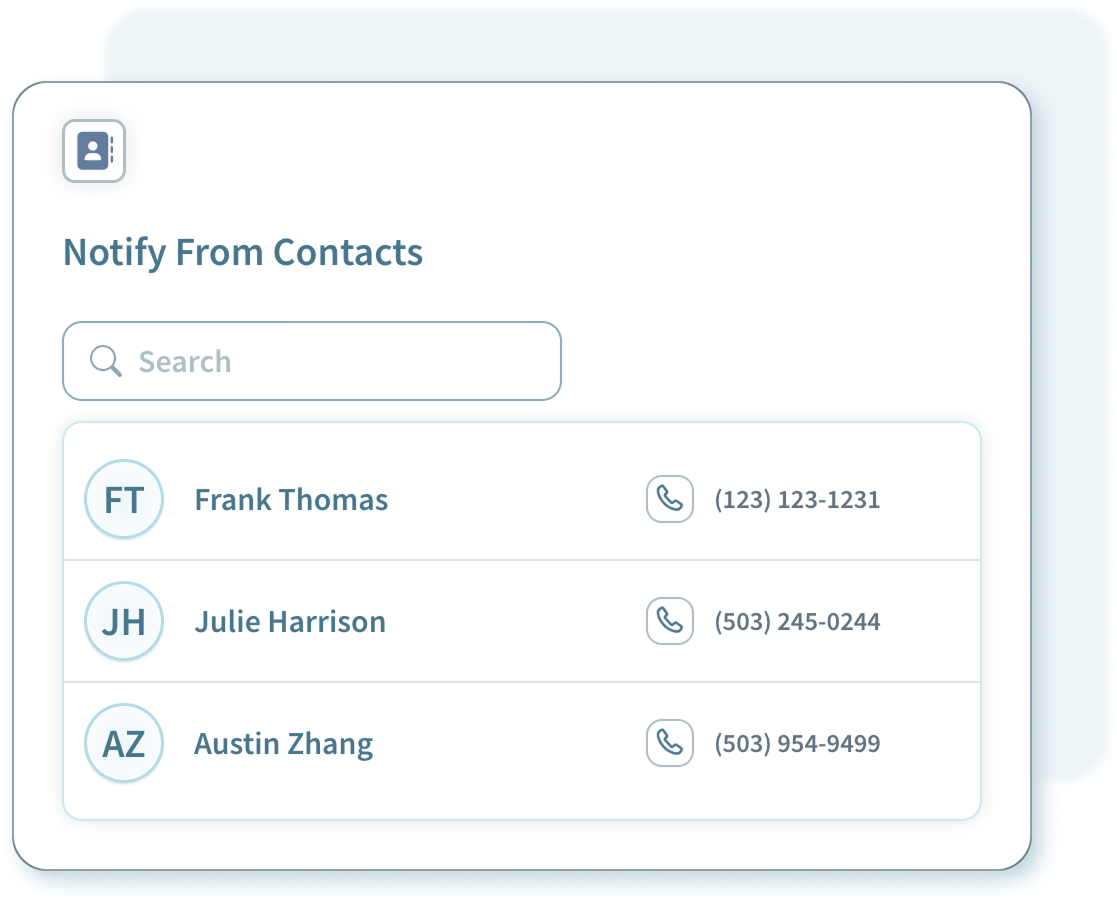
Speed up your workflow even more. Notify saved customers instantly
Skip the extra steps. Send updates to your customers in a single click.
Access your saved contacts right from the dashboard or dive deeper in the saved customers panel.
Quickly find anyone by name or phone number and fire off a notification in seconds.

Accessible everywhere. No download or app install required

Designed with a small businesses budget in mind

Automatically include your contact info and location hours
Two-Way Notifcations
Quotes, Approval Requests And More
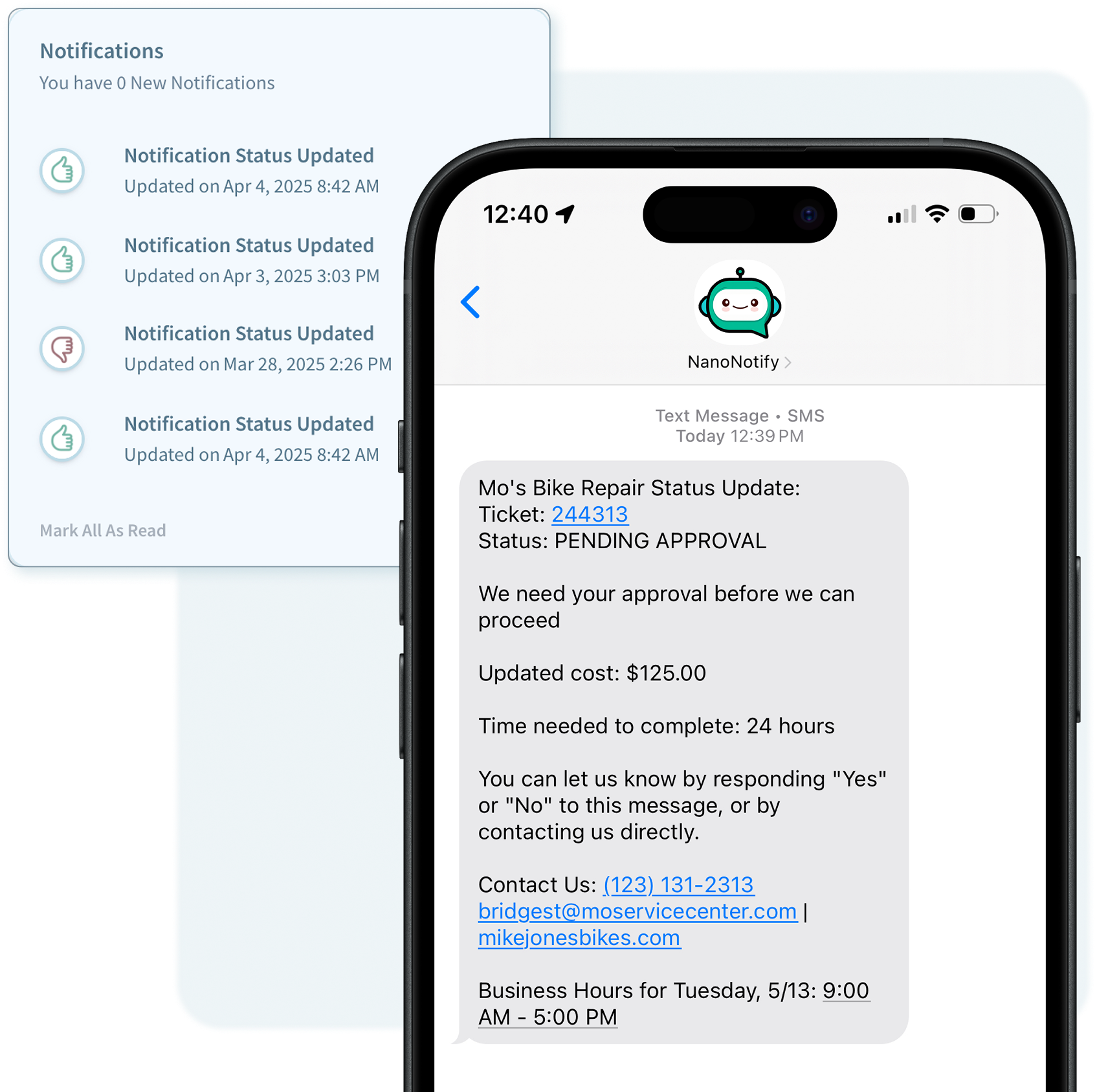
Real-time replies - say goodbye to playing phone tag
Save time for both you and your customer by enabling two-way notifications for updates that need a response, like quotes or approval requests.
Customers respond with a simple “Yes” or “No” and we alert you with an in-app notification with their response. Say goodbye to chasing down approval requests or playing phone tag
Manage responses from customers manually too! Easily update the status of a notification thats pending a response right from the dashboard.
Quotes Approved in Seconds, Not Days
“We no longer have to chase down approvals or follow up on quotes. Customers just reply ‘yes’ and we’re good to go. It’s made our process way smoother—and our clients love how easy it is.”
Marcus Caldwell
Contractor, J&M Renovations

No Download Required
NanoNotify runs in your web browser. No app to install

No one wants to deal with another app download
Save your hard drive space and the hassle of another app slowing down your computer. Run NanoNotify on any web browser. Simple as that.
Seamless experience on any operating system. No updates to manage or compatibility issues. Just open your browser and your good to go

Manage Multiple Users
Set User Roles and Permissions

Easily Manage Multiple Locations
Multi User Support
Flexible for any team size. Add users whenever you need

Bring your whole team onboard. Fast, secure and budget-friendly
Managing your team is easier than ever. Create a username and pin for each user and they are good to go.
Stay secure with user roles — admins manage settings and users, while standard users send notifications without access to sensitive controls
Managing Multiple Locations? Assign employees to specific locations so their updates are always sent from the right place
Instant Access For Every Employee
“I can add new hires without stressing about cost. We juggle so many different logins so having one company login keeps things super simple, and creating users with just a username and PIN lets our team get signed in fast.”
Julie Sanders
Office Manager, Riverfront Cleaners

Multi Location Support
Easily Update Customers From Every Location.
Power every location. Set individual hours, contact info and more
Set custom business hours for each location and update them anytime — we even automatically include your locations hours for the day in every notification.
Customize contact details for each location to make your notifications more personal and effective
Save on costs even more — each additional location includes a free user at no extra charge.
FAQs
-
NanoNotify is only available to US customers at this time. We hope to expand to other countries in the future! Check back in with us later to see what other countries we support
-
Not at all! With NanoNotify, every plan includes unlimited notifications — no caps, no hidden fees, and no surprises. Send as many notifications as you need, whenever you need.
-
Two-Way Notifications are included at no additional cost on every plan!
-
NanoNotify is designed to streamline your workflow by letting you send text messages directly from the computer you use for work—no need to juggle multiple devices. At this time, NanoNotify does not support smartphones or have a dedicated mobile app. However, it works well on tablets like iPads, which can be a great option if your business operates from a tablet. We may consider adding mobile support in the future based on user demand, but for now, mobile phones are not supported.